Deployment Options
Genesis Mesh supports four deployment shapes. Pick the one that matches your operational target.
        flowchart TB
    secrets["Mounted secrets<br/>genesis.signed.json + na.key"]
    operator["OPERATOR_PUBLIC_KEYS_JSON"]
    container["Genesis Mesh container"]
    gunicorn["Gunicorn"]
    flask["Network Authority app"]
    sqlite["SQLite DB on durable volume"]
    ingress["Ingress / TLS termination"]

    ingress --> gunicorn
    gunicorn --> flask
    flask --> sqlite
    secrets -->|GENESIS_FILE, NA_PRIVATE_KEY_FILE| container
    operator --> container
    container --> gunicorn
Live Deployment
A public Network Authority runs on Azure (Sweden Central):
https://na.genesismesh.connectorzzz.com
Architecture
Azure VM (Terraform provisioned,
Standard_B2ts_v2, Sweden Central)Nginx with TLS termination (Let’s Encrypt)
Gunicorn (4 workers, sync worker class)
Genesis Mesh Network Authority (systemd-managed
genesis-mesh-na.service)SQLite persistence on a durable disk
Public endpoint: https://na.genesismesh.connectorzzz.com
Two enrolled nodes from separate IP addresses with active heartbeats.
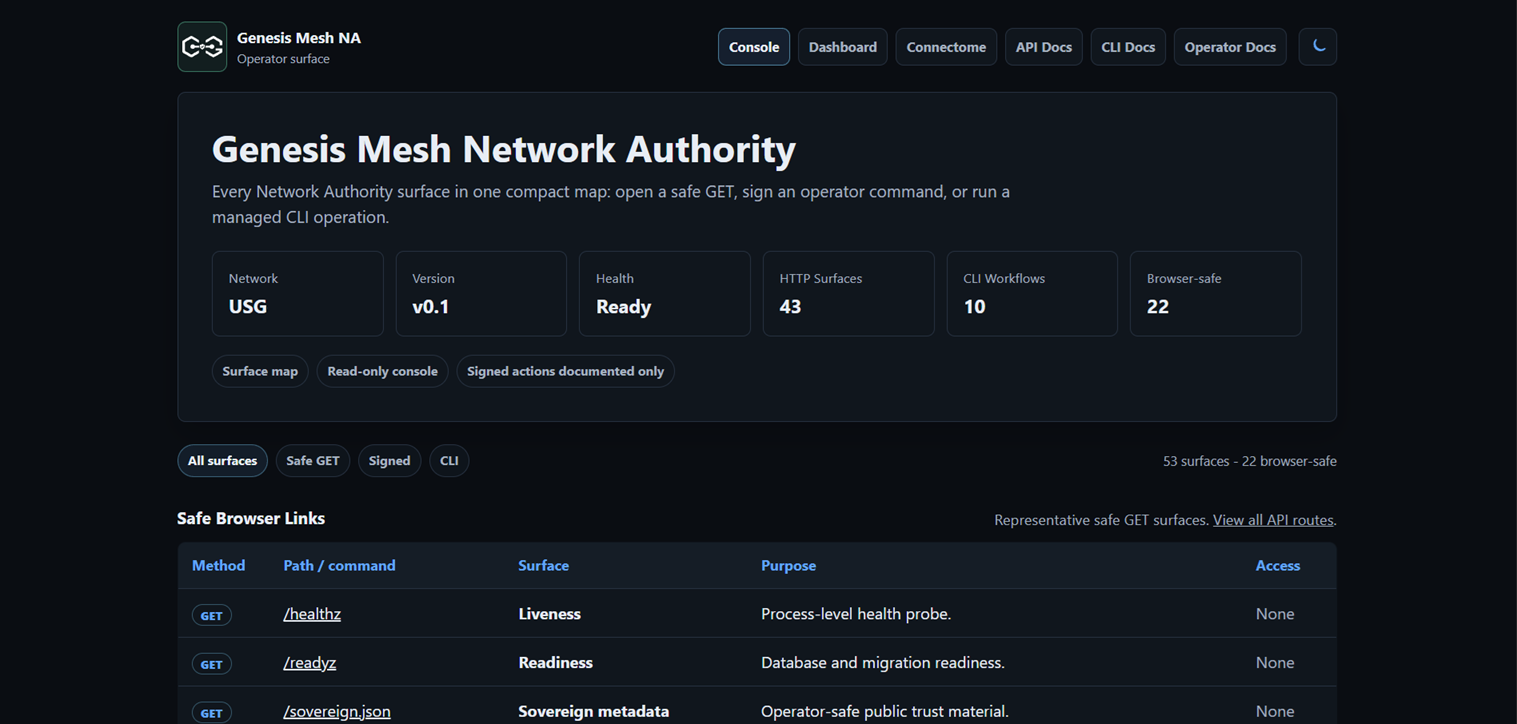

The roster shown above requires operator authentication. Without admin headers
/nodes returns the active count only — see
the public read surface.
1. Local Process
The fastest way to run a Network Authority. Suitable for development, demos, and CI smoke tests.
genesis-mesh init
genesis-mesh na start
genesis-mesh na start uses the Flask development server. For production
container or VM startup, use Gunicorn through start.sh.
2. Docker
The container entry point is start.sh. In Network Authority mode it runs
Gunicorn and requires mounted genesis and NA key files.
docker run --rm \
  -e SERVICE_ROLE=na \
  -e GENESIS_FILE=/run/secrets/genesis.signed.json \
  -e NA_PRIVATE_KEY_FILE=/run/secrets/na.key \
  -e OPERATOR_PUBLIC_KEYS_JSON='{"operator-local":"<base64-public-key>"}' \
  -e OPERATOR_KEY_TIERS_JSON='{"operator-local":"privileged"}' \
  -e DB_PATH=/data/genesis_mesh_na.db \
  -p 8443:8443 \
  genesis-mesh:local
For multi-container orchestration with a writable database volume, use the included Docker Compose example.
3. Kubernetes
A minimal set of manifests is provided under examples/kubernetes/:
kubectl apply -f examples/kubernetes/namespace.yaml
kubectl apply -f examples/kubernetes/na-secrets.yaml
kubectl apply -f examples/kubernetes/na-pvc.yaml
kubectl apply -f examples/kubernetes/na-deployment.yaml
kubectl apply -f examples/kubernetes/na-service.yaml
The Deployment runs a single non-root replica, mounts the genesis block and NA
key as a Secret, and persists the SQLite database to a PersistentVolumeClaim.
See: Kubernetes deployment guide and examples/kubernetes/README.md
4. Terraform on Azure
The infrastructure/azure/ directory contains a self-contained Terraform module
that provisions a complete Network Authority environment on Azure: resource
group, virtual network, subnet, public IP, NSG, network interface, and an Ubuntu
22.04 VM.
cd infrastructure/azure
terraform init \
  -backend-config="resource_group_name=terraform-state-rg" \
  -backend-config="storage_account_name=tfstategenesismesh" \
  -backend-config="container_name=tfstate" \
  -backend-config="key=genesis-mesh-na.tfstate"
terraform apply
This module provisioned the live VM behind
https://na.genesismesh.connectorzzz.com. Terraform runs locally with an
operator’s Azure credentials; there is no CI workflow for infrastructure
changes.
Release CD to the Azure VM
Terraform provisions the VM. Code updates are handled by the single deployment
workflow, .github/workflows/deploy-release-azure-vm.yml.
The VM serves the sanitized public reference instance
(examples/public_dashboard, see
public reference dashboard). The original
Network Authority, router and canary services on the VM are retired: they stay
stopped and disabled, and their state is archived offline.
Run Deploy Release to Azure VM manually from the Actions tab, selecting
main as the workflow branch and a release tag (or another ref on main) as
the ref input. The job reports its deployment status to the
azure-production environment. Publishing a release does not automatically
run this workflow.
The workflow resolves the ref to an exact commit and refuses anything not on
main. It authenticates with Azure through GitHub OIDC and uses Azure VM Run
Command to run infrastructure/scripts/deploy-public-dashboard.sh from that
commit as root. The script backs up state offline, checks out the commit,
updates the public instance’s virtual environment and systemd units, restarts
the public services (restoring the previous ones if a step fails), verifies
the signed evidence, and keeps the retired services stopped and disabled. The
workflow then checks that every retired unit is inactive and disabled, and
probes GET /readyz and GET /dashboard.json until the public instance
reports the deployed commit.
Required GitHub secrets:
Secret |
Value |
|---|---|
|
Application ID of the Azure deployment service principal |
|
Azure tenant ID |
|
Azure subscription ID |
Required GitHub variables:
Variable |
Description |
|---|---|
|
Resource group containing the VM |
|
VM name |
Configure the azure-production environment to allow deployments from the
main branch only. Add a federated credential to the Azure application used
by AZURE_CLIENT_ID with these exact values:
Issuer: https://token.actions.githubusercontent.com
Subject: repo:GenesisMeshLabs/genesismesh:environment:azure-production
Audience: api://AzureADTokenExchange
This repository currently uses the default, non-immutable OIDC subject format.
An environment-scoped job uses the environment subject instead of the branch
subject. Keep the existing repo:GenesisMeshLabs/genesismesh:ref:refs/heads/main
credential for the separate Terraform workflow. Do not move that workflow into
azure-production: this environment tracks release deployments to the VM.
The environment’s previous failed entries remain historical records. A new release deployment updates its current status only when the workflow runs; changing the configuration alone does not deploy code or prove VM health.
This workflow updates /opt/genesis-mesh and the configured NA/router services.
It does not deploy the separate sanitized public dashboard checkout at
/opt/genesis-mesh-public. Review the selected services before running it on a
VM where the original authority has been retired.
This workflow is intentionally Azure-specific because the next proof levels may use a second VM on another cloud or a physical host. Add separate release-CD workflows for those targets instead of hiding multiple deployment environments behind one generic VM workflow.
Production Readiness Checks
Before promoting any of the deployment shapes above to production:
the container starts as a non-root user
required secret files are mounted
startup fails closed when required secret files are missing
/healthzand/readyzwork behind the selected ingressSQLite data is persisted on durable storage
backups are tested
operator public keys are reviewed and rotated through policy
logs do not expose private key material
Do not run two Network Authority processes against the same SQLite database file. Genesis Mesh treats SQLite as a single-writer deployment store. To run several instances, use the PostgreSQL option described in High Availability (v0.60).